Top 10 trending phones of week 24


At a time when the number 1 and 2 remain the same as last week, a new number 3 is still exciting news. That would be the Samsung Galaxy J6, climbing two spots to join the Redmi Note 5 Pro and the Mi 8 on the podium.
The OnePlus 6 seems to be bolted in fourth - that's its third week in there after claiming the top spot 4 weeks ago and quickly slipping into second the following one.
The biggest gainer this week has to be the Redmi S2 (a.k.a. Redmi Y2) - entering the chart last week in 9th, it's now all the way up in 5th.
The Galaxy A6+ (2018) is the second Samsung to climb two spots and we now find it in 6th, nudging the Nokia X6 into 7th.
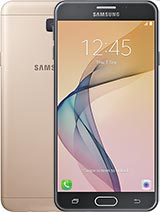
The Redmi Note 5 returns to the Top 10 in 8th spot after being absent for a couple of weeks, and long-time champion from a while back Galaxy J7 Prime makes a surprise appearance in 10th. In between them, we find the Oppo F7, cautiously advancing one spot ahead of its tenth last week.


RANK: 2
WAS: 2

RANK: 3
WAS: 5

RANK: 4
WAS: 4

RANK: 7
WAS: 6

RANK: 9
WAS: 10

RANK: 10
NEW IN

specsgallery


Source: GSMarena

Comments

Popular posts from this blog

Airtel is offering free Hello Tunes to prepaid, postpaid users: Here’s how to get it

Airtel customers can now set their favourite songs as Hello Tunes for free through Wynk Music app(REUTERS) Airtel continues to offer freebies to its users under ‘Airtel Thanks’ programme. The latest is free Hello Tunes for its postpaid and prepaid customers. The benefit is available to all Airtel customers with plans of Rs 129 and above. Airtel users can get a new Hello Tune via the company’s Wynk music application. Users can change their Hello Tune as many times they want. Users, however, will have to renew the ‘Hello Tunes’ subscription through Wynk Music every 30 days. With the latest bundle, users will no longer have to pay monthly subscription charge of Rs 36 for caller tunes. How to get free Hello Tunes Step 1: Airtel users need to download the latest version of Wynk Music or update the existing app to the latest version. Step 2: Open the app, tap on ‘Hello Tunes’ icon on the top right hand corner of the screen. Step 3: Choose the song and set it as Hello T...