
Motorola G8 images show a display with no notch or punch hole

Recent Motorola models have switched between notches and punch holes for their selfie cameras, but something else is on the horizon – the Moto G8, which will most likely have a pop-up selfie camera.
Check out these two images below, posted by @evleaks. There’s no selfie camera, not even an earpiece, just a uniform bezel on the top and the sides. However, the bottom bezel is thicker than expected.
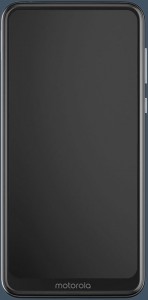
Motorola G8
It’s early for a new G-series phone – the Moto G7 lineup was announced in February this year. The G6 before it came out in April 2018.
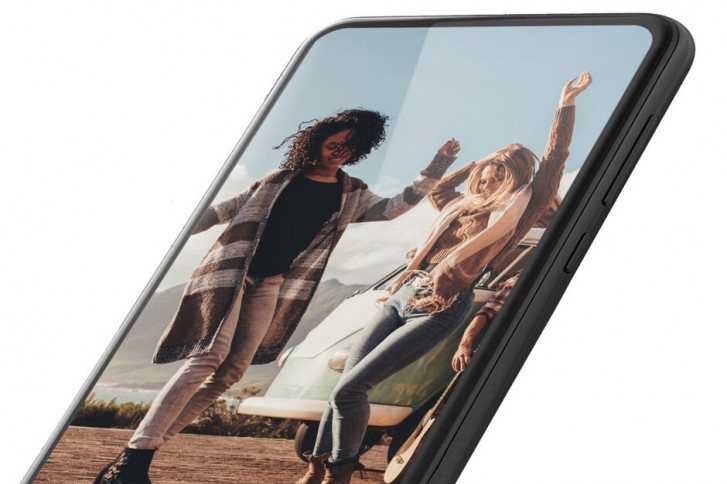
The “Moto G8” name was previously attached to these renders, which appear to show the Motorola One Action – note the triple camera.
The One Vision has a dual camera and it launched as the Motorola P50 in China.
The One Action should be unveiled on August 23 and go on sale on September 7. The rumor mill is also tracking a Moto One Zoom with a quad camera. However, there’s no word on when the Moto G8 and One Zoom might be unveiled.
Source (private Twitter account)

Comments

Popular posts from this blog

Airtel is offering free Hello Tunes to prepaid, postpaid users: Here’s how to get it

Airtel customers can now set their favourite songs as Hello Tunes for free through Wynk Music app(REUTERS) Airtel continues to offer freebies to its users under ‘Airtel Thanks’ programme. The latest is free Hello Tunes for its postpaid and prepaid customers. The benefit is available to all Airtel customers with plans of Rs 129 and above. Airtel users can get a new Hello Tune via the company’s Wynk music application. Users can change their Hello Tune as many times they want. Users, however, will have to renew the ‘Hello Tunes’ subscription through Wynk Music every 30 days. With the latest bundle, users will no longer have to pay monthly subscription charge of Rs 36 for caller tunes. How to get free Hello Tunes Step 1: Airtel users need to download the latest version of Wynk Music or update the existing app to the latest version. Step 2: Open the app, tap on ‘Hello Tunes’ icon on the top right hand corner of the screen. Step 3: Choose the song and set it as Hello T...